 FloServer
First start
The first time FloServer opens, it takes three short steps: Language, Runtimes and Ready.
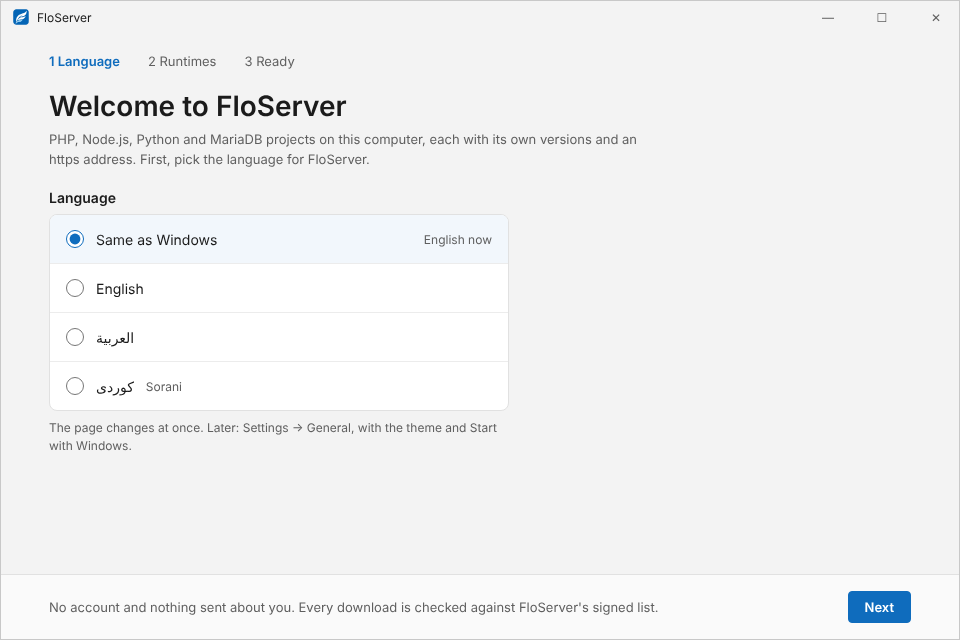
1. Language
Pick Same as Windows, English, العربية or کوردی (Sorani). The window changes at once. You can change it later in Settings → General.
2. Runtimes
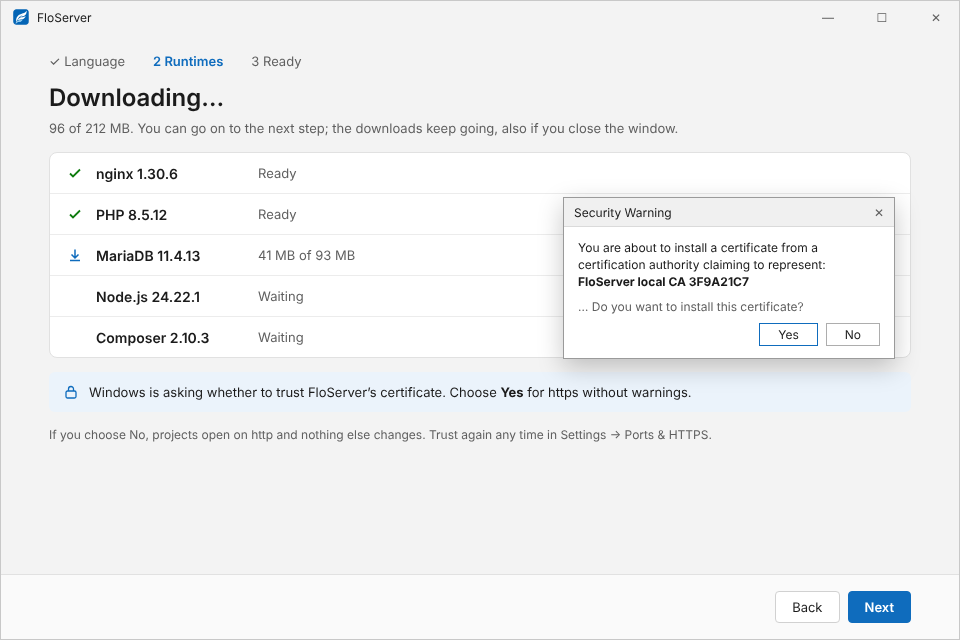
Choose what to download now: PHP, MariaDB, Node.js, Composer and others. nginx is always included. Every file is checked against FloServer’s signed list before it’s used. You can go on to the next step while the downloads keep going, even if you close the window.
Other versions, and removing these, are in Settings → Runtimes. A project that needs something missing offers to download it.
Trust local HTTPS
While the files download, Windows asks once whether to trust FloServer’s certificate. Choose Yes for https without warnings. It only works for .localhost addresses and needs no admin rights.
If you choose No, projects open on http and nothing else changes. You can trust it later in Settings → Ports & HTTPS, or with flo trust.
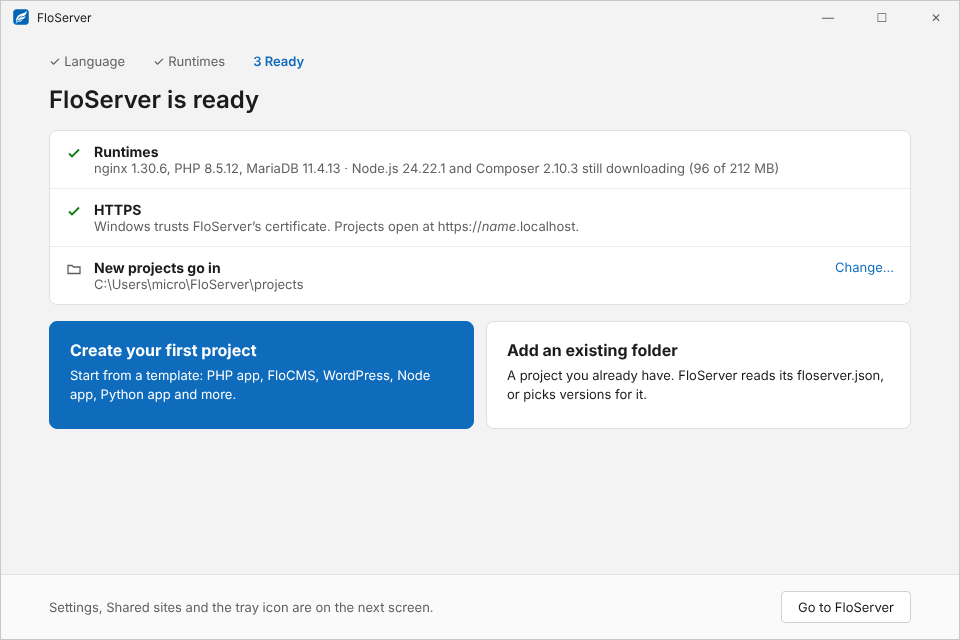
3. Ready
A summary of what’s installed, whether HTTPS is trusted, and where new projects go (you can change it). Then Create your first project or Add an existing folder.